
Purpose
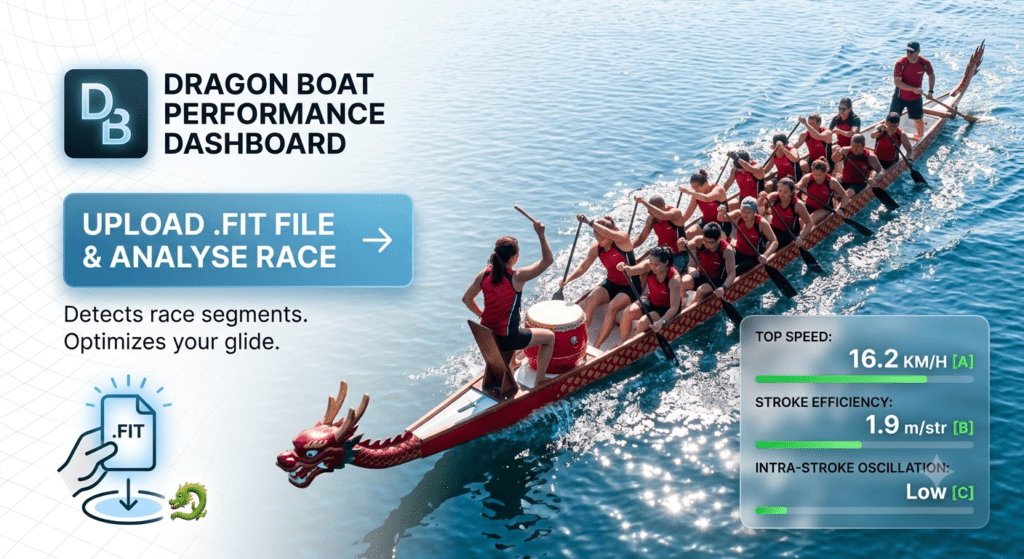
The Dragon Boat Performance Dashboard is a specialised analytical tool designed to help dragon boat paddlers and coaches evaluate their on-water performance. By uploading a Garmin .FIT file (a standard format for GPS and sensor data from smartwatches), the application automatically detects race segments and processes complex data to provide actionable insights.
The tool focuses on key performance areas:
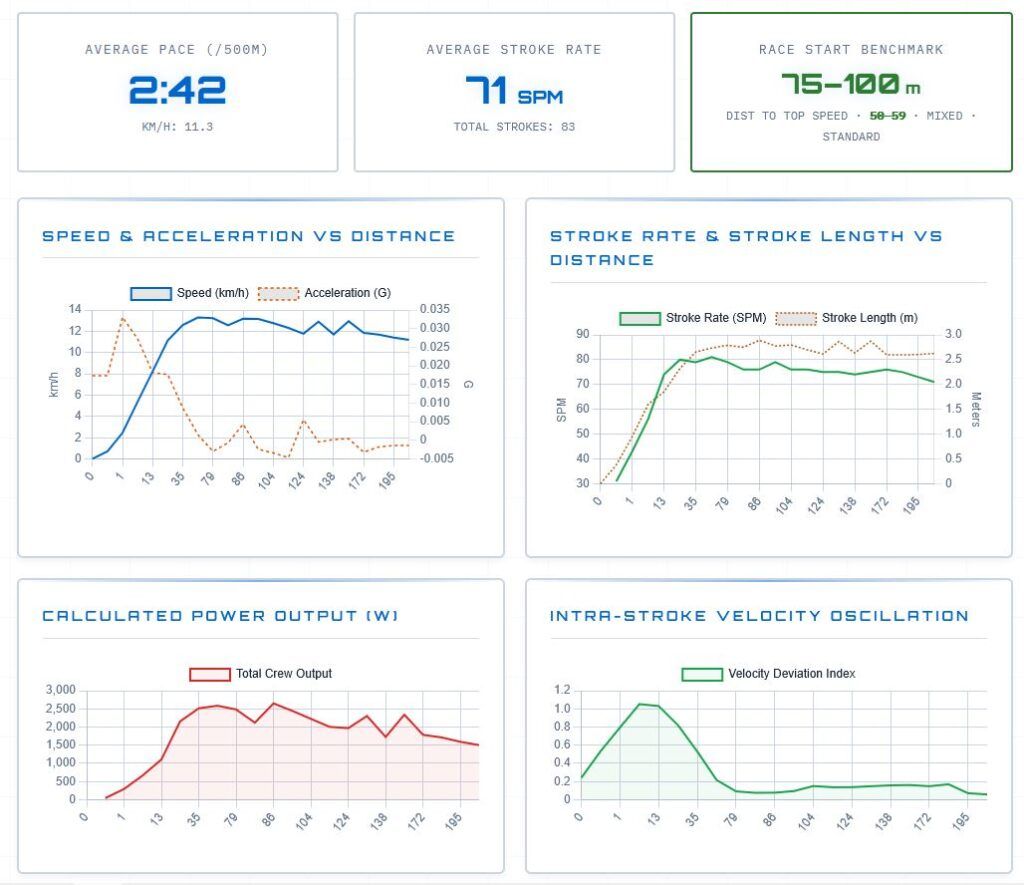
- Race Dynamics: Visualising speed, acceleration, and stroke efficiency over the course of a race.
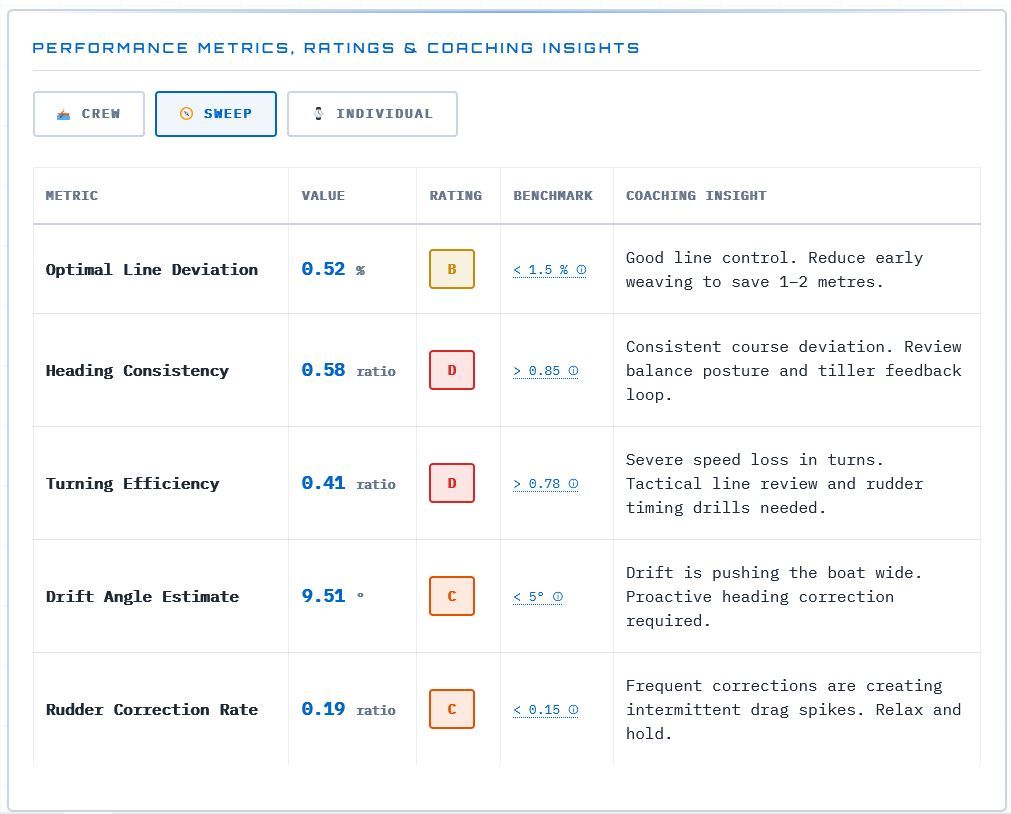
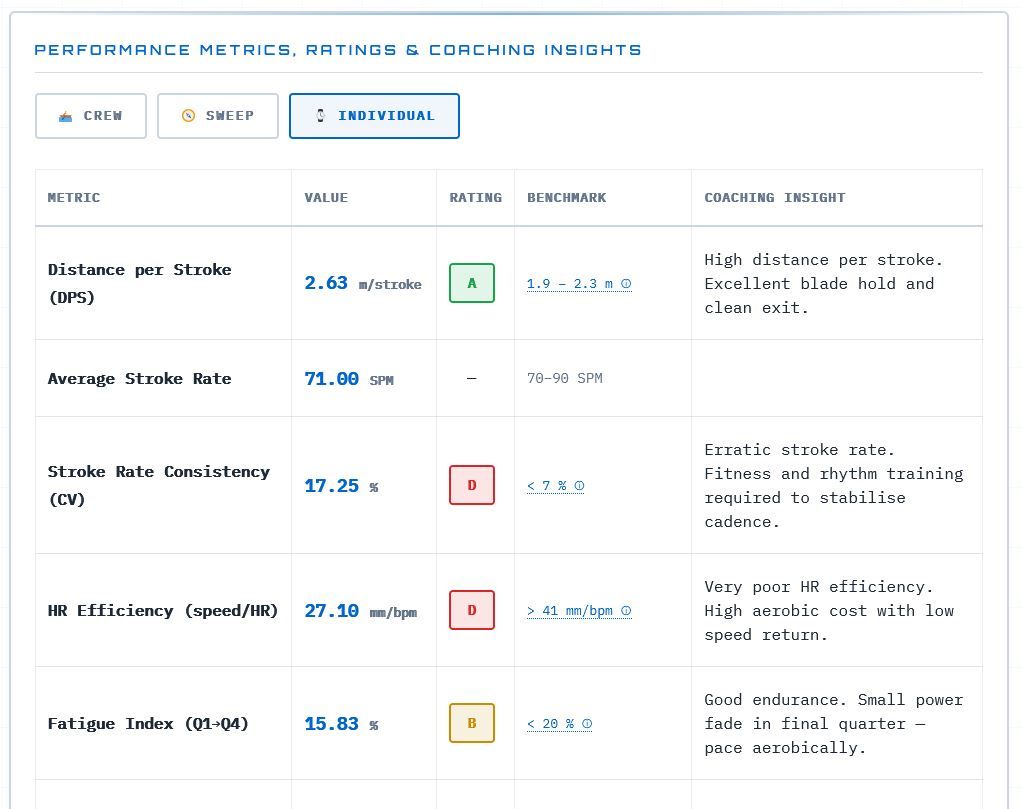
- Performance Metrics: Providing detailed analytics across three categories: Crew performance, Sweep performance, and Individual paddler metrics.
- Coaching Insights: Offering data-backed feedback and benchmarks to identify areas for improvement.
How to Use the Dragon Boat Performance Dashboard
Using the dashboard is a straightforward, three-step process:
1. Upload Your Data
- Ensure you have a
.FITfile exported from your Garmin device after your dragon boat session. - On the dashboard landing page, locate the Upload Section.
- Either drag and drop your
.FITfile directly into the designated Drop Zone or click the area to open your file browser and select the file.
2. Configure Your Crew Details
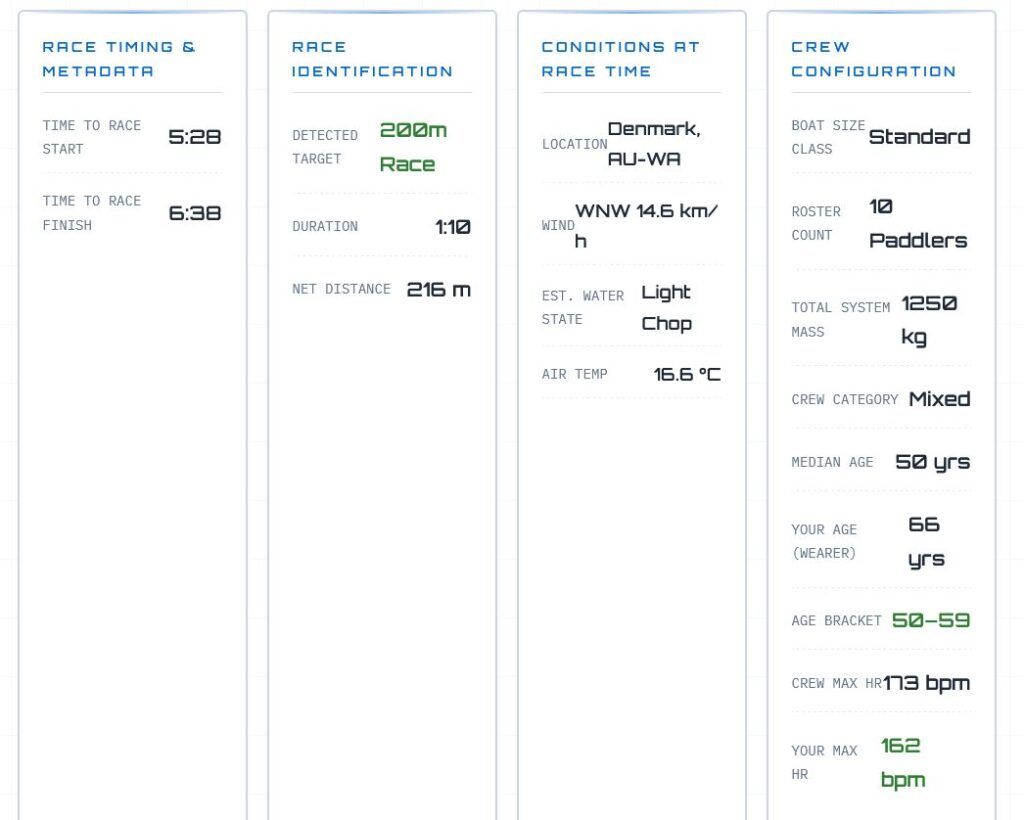
Once the file is uploaded, the app will prompt you for configuration details to ensure the performance calculations (such as power output) are accurate. You will need to provide:
- Total Crew Weight (kg) and Number of Paddlers.
- Boat Size (Standard 10-seat or Small 5-seat).
- Individual Data: Your own weight, age, and your role (e.g., Drummer/Steerer inclusion).
- Crew Category (Open, Mixed, or Women’s) and the Median Age of the Crew.
3. Analyze and Review
- Click the “ANALYSE RACE” button to begin the data processing.
- The dashboard will generate a comprehensive report, including:
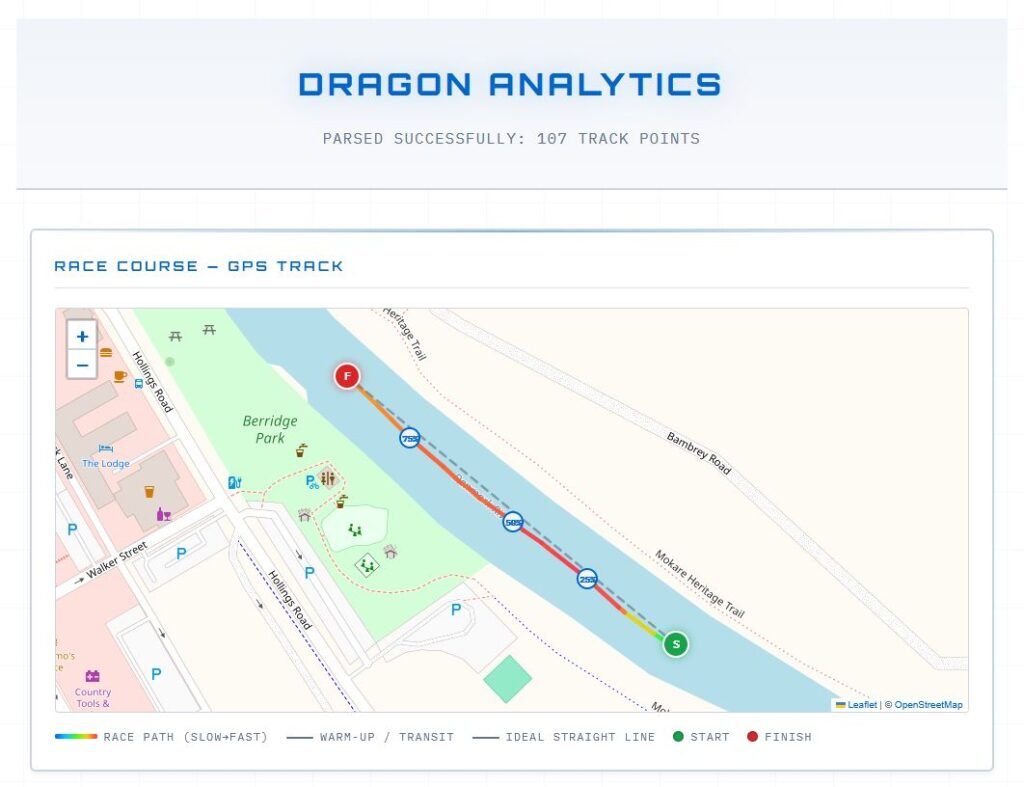
- Maps & Timings: A GPS track of the race course and detailed timing metadata.
- Performance Charts: Graphs depicting speed/acceleration vs. distance, stroke rate/length, power output, and intra-stroke velocity oscillation.
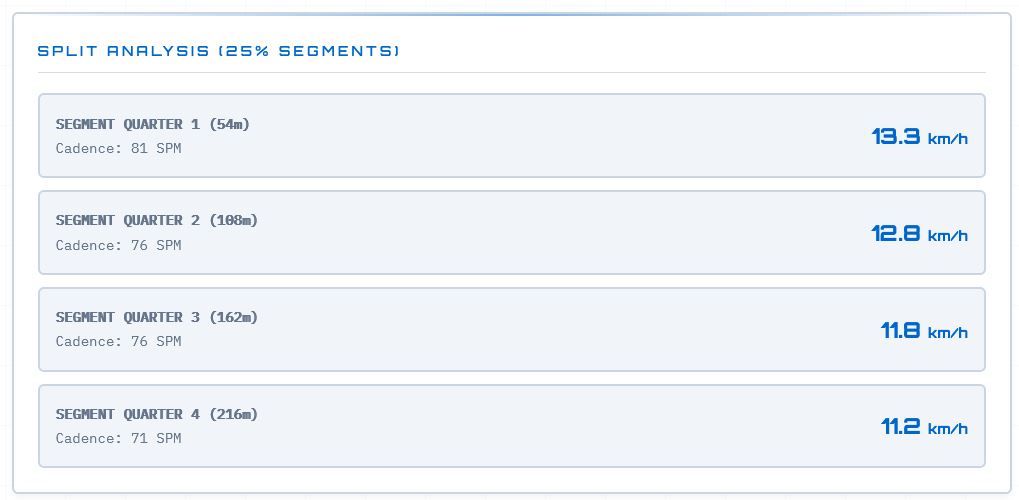
- Split Analysis: A breakdown of your performance across 25% segments of the race.
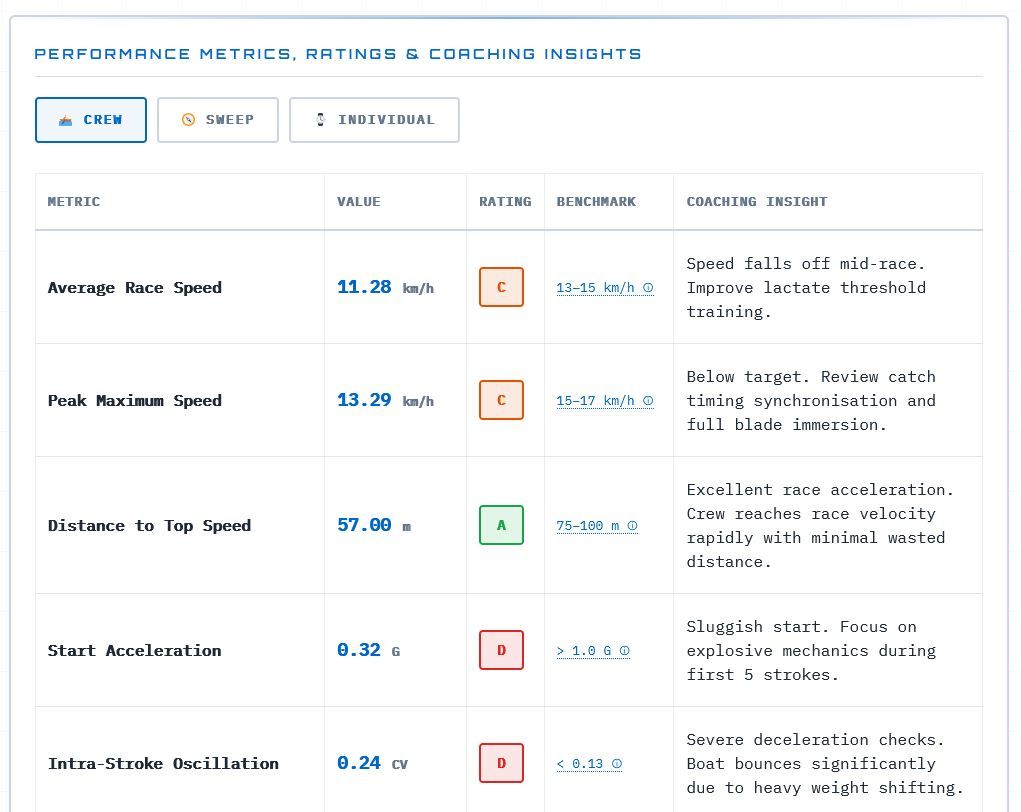
- Metrics & Insights: Toggle between the Crew, Sweep, and Individual tabs to view specific metrics, performance ratings (A–D), and coaching insights.
If you need to perform another analysis, simply click the “NEW ANALYSIS” button at the bottom right of the screen.